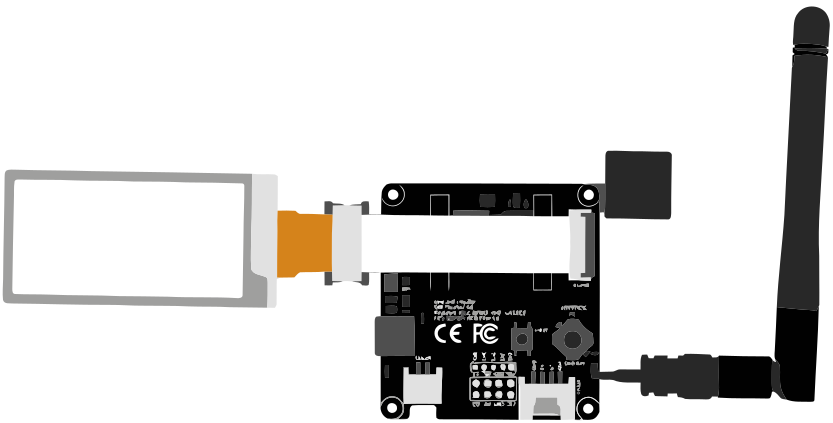
Wio L1 EINK
Seeed Studio Wio Tracker L1 EINK
★★★★☆ 4.0
📱 Companion Radio Overview
The Seeed Wio Tracker L1 EINK combines e-ink display technology with GPS tracking and LoRa mesh networking. L1 E-Ink firmware currently doesn’t support the four-way joystick.
Key Features
- E-ink Display: Visible in direct sunlight
- Built-in GPS: Location tracking
- nRF52840: Ultra-low power
- Professional Quality: Seeed quality standards
✓ Pros
- ✔ E-ink display
- ✔ 4-way joystick
- ✔ Built-in GPS
- ✔ Ultra-low power
✗ Cons
- ✕ E-Ink's firmware doesn't support 4-way joystick yet
- ✕ E-ink slower refresh
- ✕ Higher price
Use Cases
Ideal for:
- Outdoor tracking with display
- Low-power deployments
- Direct sunlight environments
- Battery-powered tracking
Setup Notes
- Flash with MeshCore Flasher
- E-ink provides excellent battery life
- GPS needs clear sky view
- Using NRF-OTA to update the firmware, may cause the device ‘to be completely dead’.
Alternate firmware
Alternative Firmware from sosprz
Check out the features this (closed source) firmware adds on their Github page.
To test it out:
- Connect tracker to computer via USB, double click upper (reset) button on the left which should bring up 2 new drives in Windows (file) Explorer: XIAO-Sense & TRACKER L1.
- Go to the latest releases page and download WioTrackerL1Eink_companion_radio_ble-v1.14.0.69-31dd17d9.uf2 directly to Tracker L1, or to your desktop and then to the drive.
- Just copying a UF2 file will tell the Arduino guts to use that as the new firmware, installing & restarting the device automatically.
⚙️ Specifications
- MCU Chip
- nRF52840
- LoRa Chip
- SX1262
- Antenna
- External connector
- Price Range
- $65-85
Where to Buy
🛒 Seeed Studio coupon NH3P4MEE copied.